
























Introduction
In the fast‑paced world of online gaming, a split second can be the difference between victory and defeat. Whether you’re building rapidly in Fortnite or engaging in a tense firefight in another title, your connection speed — specifically your ping — plays a critical role in your performance. High ping can cause delayed actions, missed shots, and frustrating lag that ruins the flow of the game.
In this guide, we’ll explain what a ping test is, why it matters, and how to run one for any game. We’ll also walk you through a Fortnite ping test so you can measure your connection to Fortnite’s servers and take steps to improve it. By the end, you’ll know exactly how to check your latency and optimize it for smoother, more responsive gameplay.
What is a Ping Test and Why It Matters
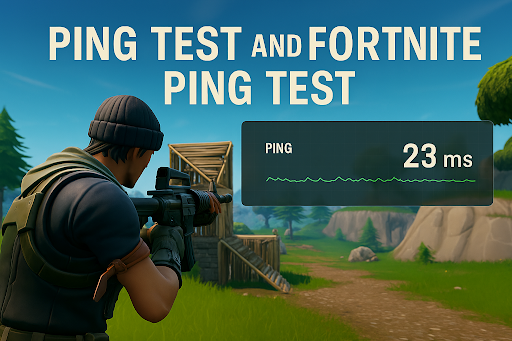
A ping test measures the time it takes for your device to send a signal to a server and receive a response, expressed in milliseconds (ms). The lower the number, the faster your connection. In gaming, low ping means your actions register almost instantly, while high ping introduces a delay that can make gameplay feel sluggish and unresponsive.
Ping tests are not just for gamers — they’re useful for anyone who wants to check the quality of their internet connection. However, in competitive games like Fortnite, where every millisecond counts, knowing your ping can give you a real advantage.
How to Run a General Ping Test
Running a ping test is simple and can be done in seconds. The easiest way is to use a dedicated online tool that measures your latency to specific servers.
You can visit the ping test tool to get an accurate reading. Close any unnecessary background applications to ensure the results reflect your true gaming conditions. Select a server location close to you and run the test — you’ll see your average ping displayed in milliseconds.
This baseline measurement will help you determine whether your connection is healthy or if you need to take steps to improve it.
How to Run a Fortnite Ping Test
Fortnite players can benefit from testing their ping to the game’s specific servers. This ensures you’re measuring the latency that actually affects your in‑game performance.
To do this, use the Fortnite ping test tool. It’s designed to check your connection to Fortnite’s servers in real time. Close background apps, select the Fortnite server region you play on, and run the test. The tool will display your ping, helping you decide if you need to switch servers or optimize your connection.
Knowing your Fortnite ping is especially important if you play competitively or in tournaments, where even a small delay can impact your results.
Common Causes of High Ping
High ping can be caused by several factors. One of the most common is server distance — the farther away the server, the longer it takes for data to travel. Your internet service provider’s routing can also affect ping, as inefficient paths add unnecessary delay.
Background bandwidth usage, such as streaming, downloading, or cloud syncing, can slow your connection. Wi‑Fi interference is another culprit, especially if you’re far from your router or surrounded by other wireless devices. Finally, network congestion during peak hours can cause ping spikes even if your setup is otherwise solid.
How to Improve Ping for Gaming
The first step is to switch from Wi‑Fi to a wired Ethernet connection, which is more stable and less prone to interference. Closing unnecessary background applications will free up bandwidth for your game.
Make sure you’re connecting to the nearest game server to reduce travel time for your data. Restarting your router can also help clear temporary network issues.
For a more advanced solution, consider using a game booster like GearUP. It optimizes your connection by finding the fastest possible route to the server, reducing latency, and preventing packet loss. This can make a noticeable difference in both general gaming and Fortnite matches.
FAQs
1. What is a ping test and how does it work?
A ping test measures the time it takes for data to travel from your device to a server and back, expressed in milliseconds.
2. How do I run a Fortnite ping test?
Use the Fortnite ping test tool to check your latency to Fortnite’s servers.
3. What is considered good ping for gaming?
Anything under 50ms is excellent. Between 50ms and 100ms is playable, but over 100ms can cause noticeable lag.
4. Can GearUP Booster reduce ping in all games?
Yes, it supports hundreds of online games by optimizing your connection routes.
5. Does server location affect ping?
Absolutely — the closer you are to the server, the lower your ping is likely to be.
Conclusion and Call to Action
High ping doesn’t have to ruin your gaming experience. By running a ping test, identifying the cause, and applying the right fixes, you can enjoy smoother, more responsive gameplay.
If you’re a Fortnite player, running a Fortnite ping test is the best way to ensure you’re playing on the fastest server possible. Combine that with a game booster like GearUP, and you’ll be ready to build, fight, and win without lag holding you back.




